
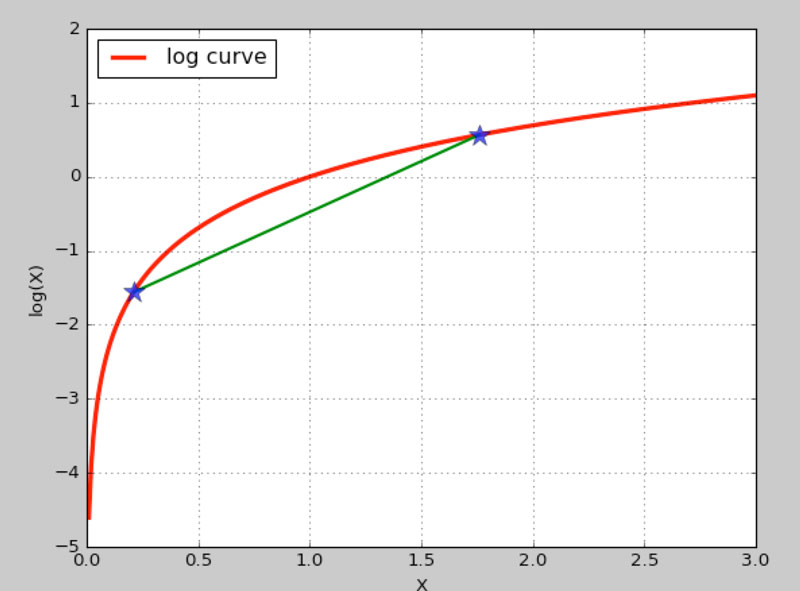
报错信息:
RuntimeError: Python is not installed as a framework. The Mac OS X backend will not be able to function correctly if Python is not installed as a framework. See the Python documentation for more information on installing Python as a framework on Mac OS X. Please either reinstall Python as a framework, or try one of the other backends. If you are Working with Matplotlib in a virtual enviroment see 'Working with Matplotlib in Virtual environments' in the Matplotlib FAQ
首先要确定安装了matplotlib:
pip install matplotlib
此报错出现在使用virtualenv的情况下,以下解决方案中的/usr/local/bin/python等目录可能需要按照实际安装路径进行调整:
#方法一:在用户的.bash_rc或.bash_profile下添加如下代码并source一下:
function frameworkpython {
if [[ ! -z "$VIRTUAL_ENV" ]]; then
PYTHONHOME=$VIRTUAL_ENV /usr/local/bin/python "$@"
else
/usr/local/bin/python "$@"
fi
}
方法二
在virtualenv的bin目录下新建frameworkpython文件并添加如下代码并source一下,如/Users/alan/.virtualenvs/machinelearning/bin/目录
#!/bin/bash
# what real Python executable to use
PYVER=2.7
PATHTOPYTHON=/usr/local/bin/
PYTHON=${PATHTOPYTHON}python${PYVER}
# find the root of the virtualenv, it should be the parent of the dir this script is in
ENV=<code>$PYTHON -c "import os; print(os.path.abspath(os.path.join(os.path.dirname(\"$0\"), '..')))"</code>
# now run Python with the virtualenv set as Python's HOME
export PYTHONHOME=$ENV
exec $PYTHON "$@"
但以上两种方案仅在命令行中执行有效,而我们常常需要在PyCharm中编辑调试,这样就会很不方便,更为简单的方案是:
#一、执行如下命令
echo "backend: TkAgg" > ~/.matplotlib/matplotlibrc
#二、在文件上方添加
import matplotlib
matplotlib.use('TkAgg')
测试代码(来自小象学院邹博《机器学习》):
import math
import matplotlib.pyplot as plt

if __name__ == "__main__":
    x = [float(i)/100.0 for i in range(1,300)]
    y = [math.log(i) for i in x]
    plt.plot(x, y, 'r-', linewidth=3, label="log curve")
    a = [x[20], x[175]]
    b = [y[20], y[175]]
    plt.plot(a, b, 'g-', linewidth=2)
    plt.plot(a, b, 'b*', markersize=15, alpha=0.75)
    plt.legend(loc='upper left')
    plt.grid(True)
    plt.xlabel('X')
    plt.ylabel('log(X)')
    plt.show()